Topics
Organise clients and projects
Create a project for a client and find its tasks, knowledge, hours and budget in the project’s work areas.
On this page
Before you start
- You are signed in to the right workspace.
- A new project needs a client. You can create the client first.
Open in Klausi (sign-in required)
Open an existing project
- Open Work → Projects. The Work hub also has its own overview.
- Find your client or project in the project overview.
- Select the project. It opens on Overview unless you follow a link to a specific section.
- Use the selector in the header to switch clients or projects when needed.
See the app view
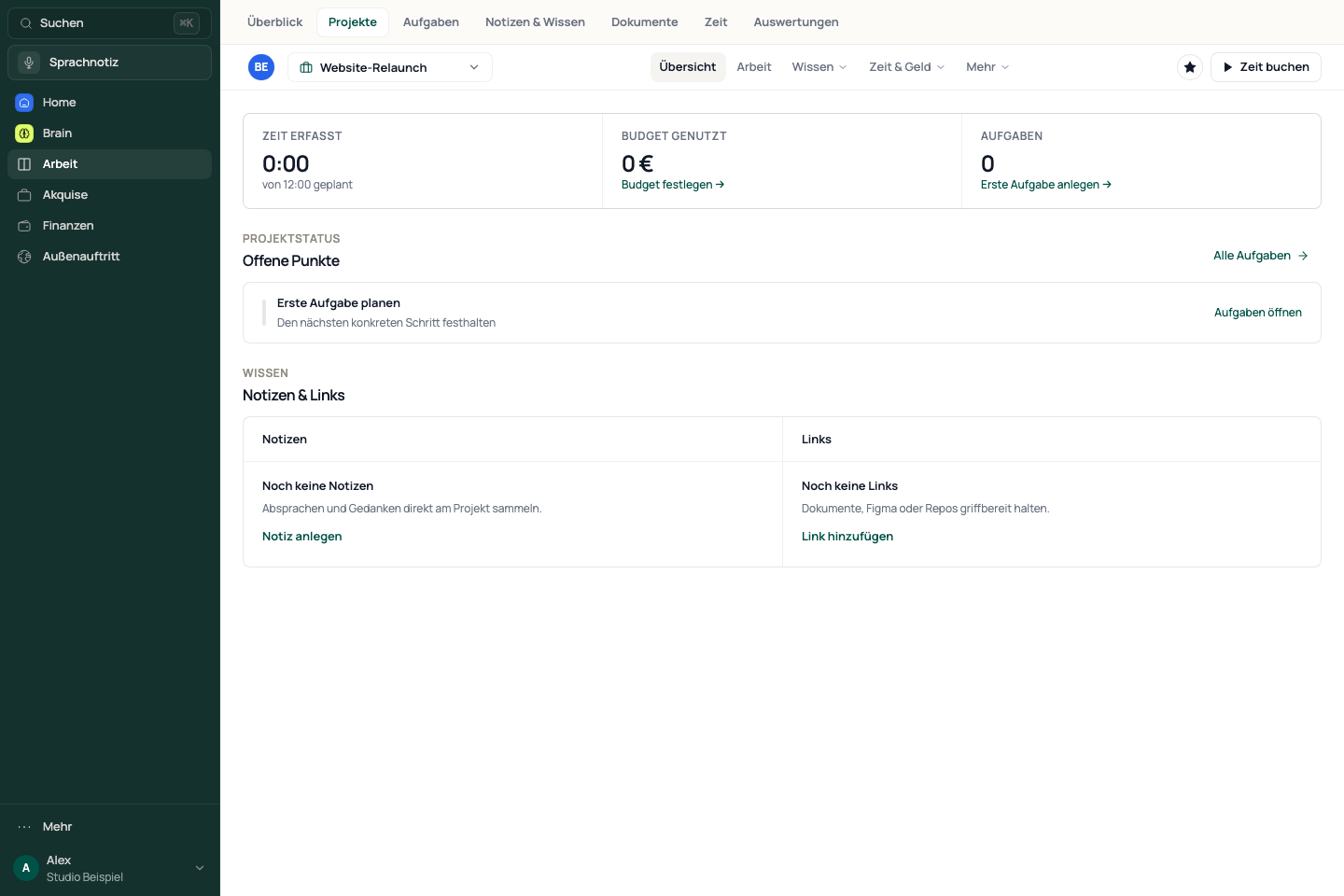
Choose a work area
An open project has five work areas. Menus group their related sections.
- For example, open Knowledge → Notes to find project knowledge.
- For tracked time, choose Time & money → Hours.
- Open More → Settings to change project details.
- Overview: the current project status.
- Work: the project’s tasks.
- Knowledge: Notes, Links, Files and Whiteboard.
- Time & money: Hours, Budget, Receipts and Services.
- More: the project settings.
Saved links to individual sections remain usable. They may open a project in a section other than Overview.
Create a client and project
- Open “Neu” in the project overview.
- If the client is missing, choose “Neuer Kunde” and enter the client details.
- Open “Neu” again and select the client under “Neues Projekt für”.
- Enter a project name in the dialog, check the client assignment and complete the details you need.
- Confirm creation, then check the new project in the overview.
The create menu currently uses German labels: “Neu” means new, “Neuer Kunde” means new client, and “Neues Projekt für” means new project for.
If a project or its content is missing
- Check the workspace, client selection, search and active filters.
- Check the project’s work area: files are under Knowledge, hours under Time & money.
- Open a missing task or note in its complete list and check the project assignment.
- If creation was unclear, check existing projects before creating another one.
Reviewed: