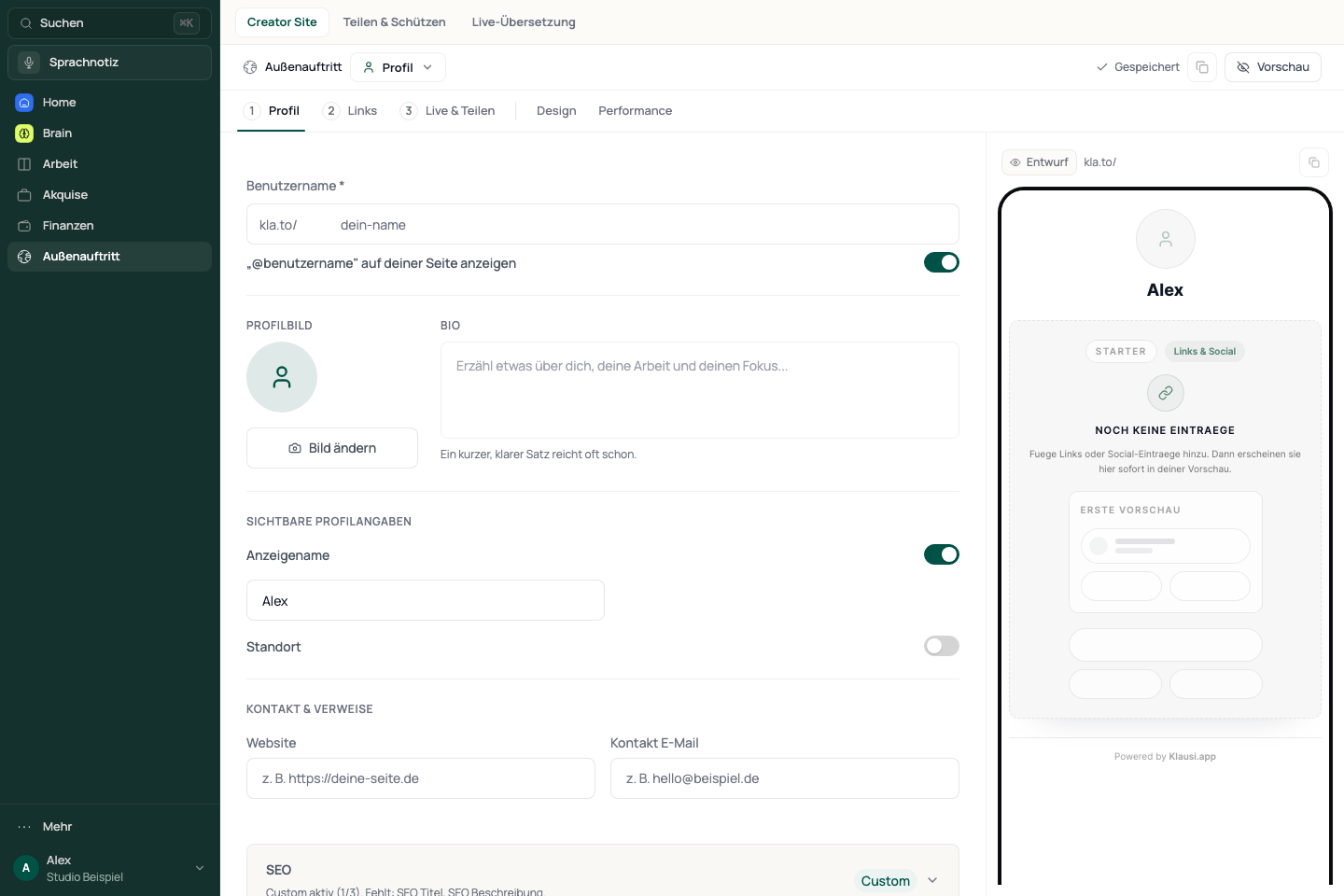
Setup has three steps: Profile, Links and Live & sharing. Design and Performance are additional areas.
Open Presence → Creator Site.
Select Profile and review the username used for your public address.
Add a name, avatar or bio so visitors can recognise you.
Check the save status before continuing.
See the app viewGerman desktop interface with fictional example data. Features and allowances depend on your plan. Open full size (new tab)
Add visible content
Open Links and add your content or destinations.
Check block destinations, order and visibility.
Open the preview and confirm that at least one usable item appears.
A block that exists but is hidden or invalid does not count as visible content. Also check booking and funnel links before publishing them.
Go live and share
Completing the profile does not make the page public on its own. The Live switch is part of publishing.
Open Live & sharing and review any remaining setup notices.
Switch the page to Live when the profile and content are ready.
Copy the public link or use the QR code provided.
Open the link while signed out and also check the page on a small screen.
Appearance and performance
Change the appearance under Design and check the preview afterwards. Performance contains the analytics available to your account. Read notices on locked options; not every design or analytics feature is unlocked for every account.
If the page is empty or unavailable
Check the username, identifiable profile information, at least one visible item and the Live switch. Read the save status, then open the public address again. An editor preview does not prove that the same page has already been published.